Migrating Your Identity and Access to Grant Is Now Easy
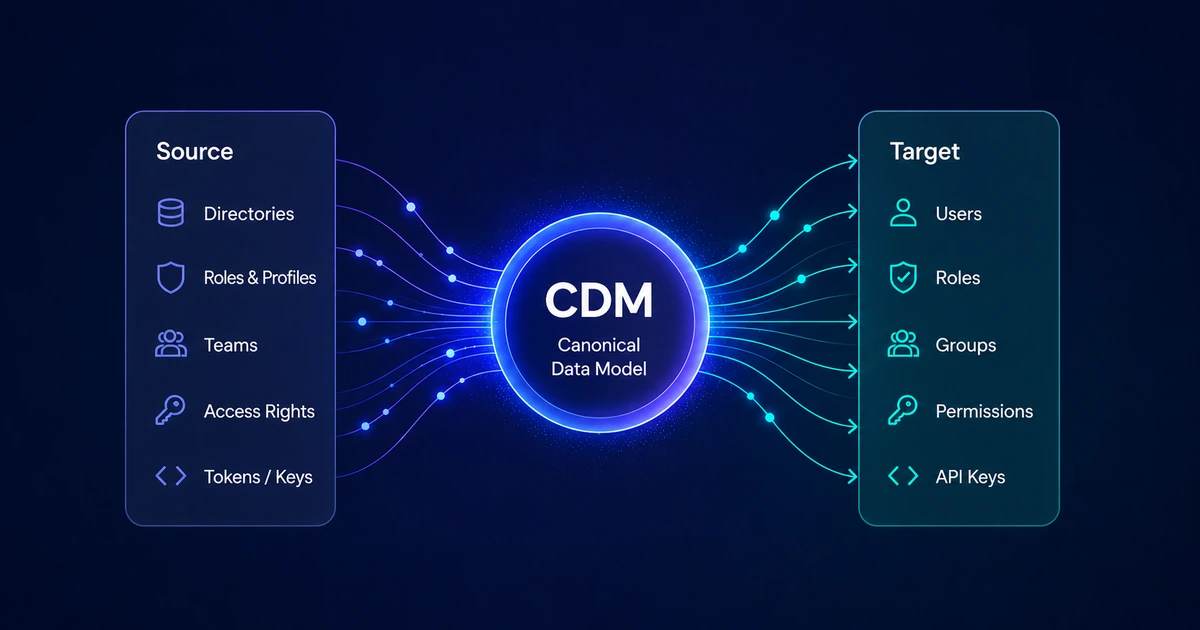
When we opened Grant to the world, the hard part was not describing RBAC on a diagram—it was getting a real permission model into production without rebuilding everything by hand every time the organization changed. Grant v1.1.1 closes a major gap on that roadmap: Project Import and Export via the CDM (Canonical Data Model).
You can clone, back up, or port a project's permission graph—roles, groups, permissions, resources, tags, and optional users—as a single versioned JSON document. For teams coming from Auth0, Okta, Supabase, or bespoke IAM layers, that means migrating identity and access into Grant is now a workflow, not a one-off migration project.
Full reference: CDM Import & Export.
Why this release matters
Most IAM products are strong at authentication and weak at giving you a portable authorization model you own. Grant was built around multi-tenant RBAC from day one—but until CDM sync, every new environment meant clicking through the same resources, groups, and roles again, or writing fragile one-off scripts.
CDM Import & Export changes that:
| Capability | What it unlocks |
|---|---|
| Export | Snapshot a project's permission graph for backup, audit, or drift review |
| Import | Apply a CDM file with merge (default) or replace (destructive, confirmed) |
| Async jobs | Large payloads never block the UI; operators track progress in Project → Import/Export |
| Rollback snapshot | Before import, Grant captures the prior CDM state inside the same transaction |
| External keys | Stable externalKey fields so third-party systems can round-trip without Grant UUIDs |
That last point is the bridge from third-party IAMs: your source system keeps its identifiers; Grant maps them through CDM and resolves catalog permissions with resourceSlug:action refs (see the docs on permission strings in roles and users).
How Import & Export works
Operations run as background jobs (project_sync_jobs). The dashboard polls while a job is PENDING or RUNNING; when it completes, you review details, download exported JSON, or inspect import results—including optional rollback snapshot metadata.
%% width: desktop-90 mobile-100
flowchart TD
  subgraph Import["Import"]
    A[Upload CDM .json] --> B[Enqueue job]
    B --> C[Snapshot current project CDM]
    C --> D[Apply merge or replace]
    D --> E{Outcome}
    E -->|Success| F[Completed — Result / Payload tabs]
    E -->|Failure| G[Failed — transaction rolls back with snapshot]
  end

  subgraph Export["Export"]
    H[Configure sections & re-import hints] --> I[Enqueue export job]
    I --> J[Build CDM from project]
    J --> K[Download artifact when complete]
  end
Import modes
merge— Apply alongside existing CDM-managed rows (default).replace— Remove CDM-managed rows for the project, then apply; requiresconfirmDestructivein the file.
Only CDM-managed rows (marked with metadata.cdmImport) are updated on import; the rest of your project data stays untouched. That boundary matters when you are incrementally syncing from an external system without wiping manually created configuration.
Export does not change live data. The dialog's Contents tab selects sections (roles, groups, resources, permissions, tags, users); Options embed re-import defaults (mode, strategy, version) as hints in the downloaded file for the next import.
REST and GraphQL surfaces are documented under sync jobs and REST API—startProjectSync, startProjectExport, job polling, payload download, and cancel.
Payload at a glance
Imports and exports share the SyncProjectInput shape (schema version 1 today):
| Section | Purpose |
|---|---|
resources | Project-scoped custom resources |
permissions | Custom permissions (requires resources in the same file) |
groups | Permission bundles |
roles | Roles with groups, permissions, tags |
users | Optional user definitions and assignments |
tags | Tag definitions and project membership |
mode | Import policy: strategy, onConflict, confirmDestructive |
Global catalog permissions appear in role grants as slug:action strings; CDM resources / permissions arrays carry project-created definitions. If you are porting from another IAM, your mapper's job is to emit stable external keys and consistent permission refs—not to duplicate Grant's entire system catalog.
Bring your own keys (BYOK)
Porting identity is not only roles and permissions. Services that already authenticate to your APIs—machine-to-machine clients in Auth0, Supabase service roles, internal sync workers—arrive with existing clientId / clientSecret pairs. Grant's CDM supports BYOK: on import, you supply those credentials so Grant registers the keys without forcing a rotation on day one.
How it behaves
- Import — Each key under
users[].apiKeysmust include a plaintextclientSecret(minimum 32 characters). Optionally passclientIdwhen you are round-tripping an export or preserving an upstream identifier; otherwise Grant issues a new UUID. - Export — User API keys are exported as identities only (
clientId, name, metadata). Secrets are never written to the JSON artifact. - Replay — Rollback snapshots and re-imports that touch keys follow the same rule: secrets are not stored in export files, so your pipeline must re-supply
clientSecreton every import that should create or update keys.
A typical pattern: your Postgres → CDM mapper (or any ETL job) attaches credentials for sync workers and domain-specific service accounts—partner (Auth0) and customer (Supabase) clients land in Grant with the same credentials those services already use upstream.
Example fragment (nested inside a full SyncProjectInput; roles, resources, and other sections omitted):
{
  "version": 1,
  "mode": {
    "strategy": "merge"
  },
  "users": [
    {
      "key": { "value": "cdm-sync-service", "findBy": "key" },
      "name": "CDM Sync Service",
      "roles": ["platform-operator"],
      "groups": [],
      "permissions": [],
      "tags": [],
      "apiKeys": [
        {
          "key": "partner-portal-m2m",
          "clientId": "bd92d4e7-eb30-4c6b-8a49-9c32d89ccf3a",
          "clientSecret": "replace-with-plaintext-secret-min-32-chars",
          "name": "Partner portal M2M (ported from Auth0)"
        },
        {
          "key": "customer-portal-service",
          "clientId": "8f1c2a10-4e5b-4d9a-9c3e-2a7b6d5e4f30",
          "clientSecret": "replace-with-plaintext-secret-min-32-chars",
          "name": "Customer portal service (ported from Supabase)"
        }
      ]
    }
  ]
}
| Field | Required on import | Notes |
|---|---|---|
apiKeys[].clientSecret | Yes | BYOK plaintext secret; hashed at rest after import |
apiKeys[].clientId | No | Preserve when porting; UUID format when provided |
apiKeys[].key | Recommended | Stable externalKey for merge/update correlation |
Parent users[].key | Yes | Tie keys to a user via userKey (new users) or findBy: id (existing Grant user) |
After import, keys behave like any project user API key: exchange clientId + clientSecret at POST /auth/token for a short-lived JWT. See CDM Import & Export for export checkboxes (Users → nested API keys) and rollback behavior.
A real migration path: Alteos
I work at Alteos, where identity and access are not a single database row—they are distributed across domains we operate:
| Domain | Typical sources |
|---|---|
| Admin | Custom services, internal tooling |
| Customer | Supabase and application-specific rules |
| Partner | Auth0 and bespoke integrations |
Each stack evolved independently. Answering "who can do what, where?" required hopping between dashboards and code paths. Grant's CDM release is how we start consolidating the authorization picture without pretending those sources disappear overnight.
Phase 1: Map Core APIs → CDM, sync on demand
Our first use case maps Alteos Core APIs—the contracts that describe resources and actions in our platform—to Grant's CDM format. A pipeline reads authoritative state from PostgreSQL, transforms it into SyncProjectInput, and calls Grant's import job API when operators request a sync (or on a schedule we define).
%% width: desktop-85 mobile-100
flowchart LR
  subgraph Sources["Identity sources today"]
    A0[Auth0<br/>partner portal]
    SB[Supabase<br/>customer portal]
    CU[Custom IAM / DB<br/>admin]
  end

  PG[(Postgres<br/>canonical view)]
  MAP[CDM mapper<br/>Core APIs → SyncProjectInput]
  G[Grant project<br/>Import job]

  A0 --> PG
  SB --> PG
  CU --> PG
  PG --> MAP
  MAP -->|POST sync job| G
  G --> VIS[Unified RBAC<br/>visualization in Grant]
What we gain immediately
- A single project (or set of projects) that reflects current effective permissions per domain.
- Repeatable sync—merge imports let us refresh without manual UI work.
- Audit-friendly exports when we need to compare "source of truth" vs what Grant enforces.
This is not full SSO yet; it is the authorization consolidation layer we need before we can trust one front door for the organization.
Phase 2: Toward organization-wide SSO
The longer arc at Alteos—and a reason Grant exists—is full SSO for the company and eventually replacing our Okta dependency. CDM does not replace Okta by itself; it makes Grant the system of record for access control that SSO sessions ultimately respect.
Rough sequence we are betting on:
- Visualize — Import/sync CDM so security and platform teams see roles and permissions across admin, customer, and partner surfaces.
- Converge — Reduce duplicate role definitions; align catalog slugs and external keys across services.
- Authenticate centrally — Route workforce and application sign-in through Grant (and standards we already document: OAuth 2.0, OIDC, MFA).
- Decommission silos — Retire redundant IAM dashboards as Grant-backed enforcement covers each domain.
Okta solved enterprise login; our gap is portable, inspectable authorization we control. CDM is the hinge that lets migration happen incrementally—domain by domain, merge by merge—instead of as a big-bang cutover.
What to try
- Dashboard: Project → Import/Export on demo.grantjs.org (short data retention; good for exploring the job UI).
- Docs: CDM Import & Export — payload shape, global catalog vs CDM-owned rows, rollback snapshots, REST routes.
- Release: Grant on GitHub — v1.1.1 and SECURITY.md for disclosure.
If you are evaluating Grant after the launch post, start with a small export of a test project, edit the JSON, and re-import with merge to see how external keys behave. That exercise mirrors what we are automating at Alteos—only at production scale.
What comes next in this series
Future posts can go deeper on the CDM mapper patterns, conflict strategies (fail vs skip vs update), and how we wire scheduled sync without surprising operators. For this installment, the headline is simple: Grant v1.1.1 turns migration into a first-class feature—and we are already using it to pull fragmented IAM reality into one place.
If your organization has permissions scattered across Auth0, Supabase, custom databases, or legacy Okta-backed apps, open an issue or tell us what your CDM should look like. Portable identity and access is the goal; CDM is how we get there without stopping the world.
Comments
Comments are provided via Giscus (GitHub). Enable them in your cookie preferences to load the discussion widget.