
How Grant Is Being Used to Centralize IAM Visibility
When we wrote that migrating identity and access to Grant is now easy, CDM Import & Export already did its job—a portable permission graph you could move between systems. The friction was elsewhere: Grant enforced access only through roles and groups. So when an external system mapped a user straight to a permission—no role, no group—we had to invent synthetic roles and groups just to carry that grant. It worked, but it filled projects with noise and entities nobody asked for. Grant v1.4 removes that compromise.
The headline is not a single feature. It is that migrating into Grant now works consistently—we run the same pipeline against multiple environments and get the same predictable result every time. And the more legacy data we port, the clearer the real value becomes: Grant is turning into a central place to see and reason about access across sources that were never designed to talk to each other.
What is new in Grant v1.4
This release is small to read and big in practice. Three changes matter most for migration work:
| Feature | What it gives you |
|---|---|
| Direct permission relationships | Grant now supports flexible assignment paths: user to permission, user to group, and role to permission—not only the classic role-then-group chain. You model access the way your source system actually expressed it. |
| Email identity imports | Import external IAMs keyed by email identity, so teams can bring users from an existing provider without inventing new identifiers up front. |
| Keyword user search | Find users by keyword across more than the native name field, which matters a lot once a project holds hundreds of imported users. |
The most important detail is what did not change: the new permission flexibility arrived without changing the CDM import sync-jobs contract. Pipelines built against the previous payload keep working. We added expressiveness to the model without forcing a rewrite of the integration—exactly the kind of stability you want when a migration is already in flight.
Full reference lives in the Grant docs and the CDM Import & Export guide.
Migration that is proven, not hopeful
A migration you run once is a script. A migration you can run again and again with the same outcome is infrastructure. Getting to the second kind is what v1.4 unlocked for us.
Our approach is a straightforward ETL that ends at Grant's sync-jobs API:
- Extract the current state of identity and access from our existing IAM data sources.
- Stage the raw extract in object storage so every run has an inspectable, shareable checkpoint between steps.
- Transform the legacy model into Grant's CDM (
SyncProjectInput)—mapping users, roles, groups, and permissions, including the new direct relationships where the source needs them. - Load the CDM document into a Grant project through an import sync job.
The whole thing runs as an orchestrated, managed step-function-style workflow. A couple of design choices are what make it trustworthy rather than just functional:
- Dry-run first. Every run can execute end to end in a dry-run mode that transforms and validates without writing to Grant. We only flip to a real load once the transformed CDM looks right.
- Idempotent re-runs. Because imports operate on CDM-managed rows and capture a rollback snapshot before applying, re-running a sync converges to the same state instead of piling up duplicates. A failed load rolls back inside its transaction.
%% width: desktop-45 mobile-80
flowchart TD
  subgraph Sources["Legacy IAM sources"]
    S1[Auth datastore]
    S2[Account datastore]
  end

  EX[Extract]
  ST[(Staging<br/>object storage)]
  TF[Transform<br/>legacy to CDM]
  DR{Dry run?}
  LD[Load<br/>sync-jobs API]
  G[Grant project<br/>unified RBAC]

  S1 --> EX
  S2 --> EX
  EX --> ST
  ST --> TF
  TF --> DR
  DR -->|Yes| OK[Validate only]
  DR -->|No| LD
  LD --> G
We have run this pipeline across three of our development environments. Same code, same contract, same shape of result each time—which is the whole point. Proving consistency on development data is how we earn the confidence to point it at production later.
The real lesson: Grant as a central hub for IAM
Here is the part we did not fully appreciate until we were elbow-deep in legacy data: the value of this work is not the one-time migration. It is that Grant becomes a neutral, inspectable hub—think of it as an IAM data lake—where access from many sources can land, be compared, and be reasoned about in one model.
Because everything passes through the CDM, the same machinery that moves data in also moves it out and between systems:
| Capability | Why it matters once data is centralized |
|---|---|
| Consolidate | Multiple sources express access in one canonical model, so "who can do what" is answerable in one place instead of across many dashboards. |
| Migrate in and out | Import is not a trap. Export produces the same CDM document, so leaving or duplicating an environment is a workflow, not a rescue project. |
| Plan transitions | A staged, dry-run-first pipeline lets you preview a cutover, compare against the source, and converge incrementally—domain by domain. |
| Review drift | Re-importing and diffing snapshots turns "did anything change?" into a routine check rather than an audit scramble. |
Portable, inspectable authorization is the thing most identity tooling does not give you. Centralizing it is what makes everything downstream—audit, convergence, eventually SSO—tractable.
What it looks like in Grant
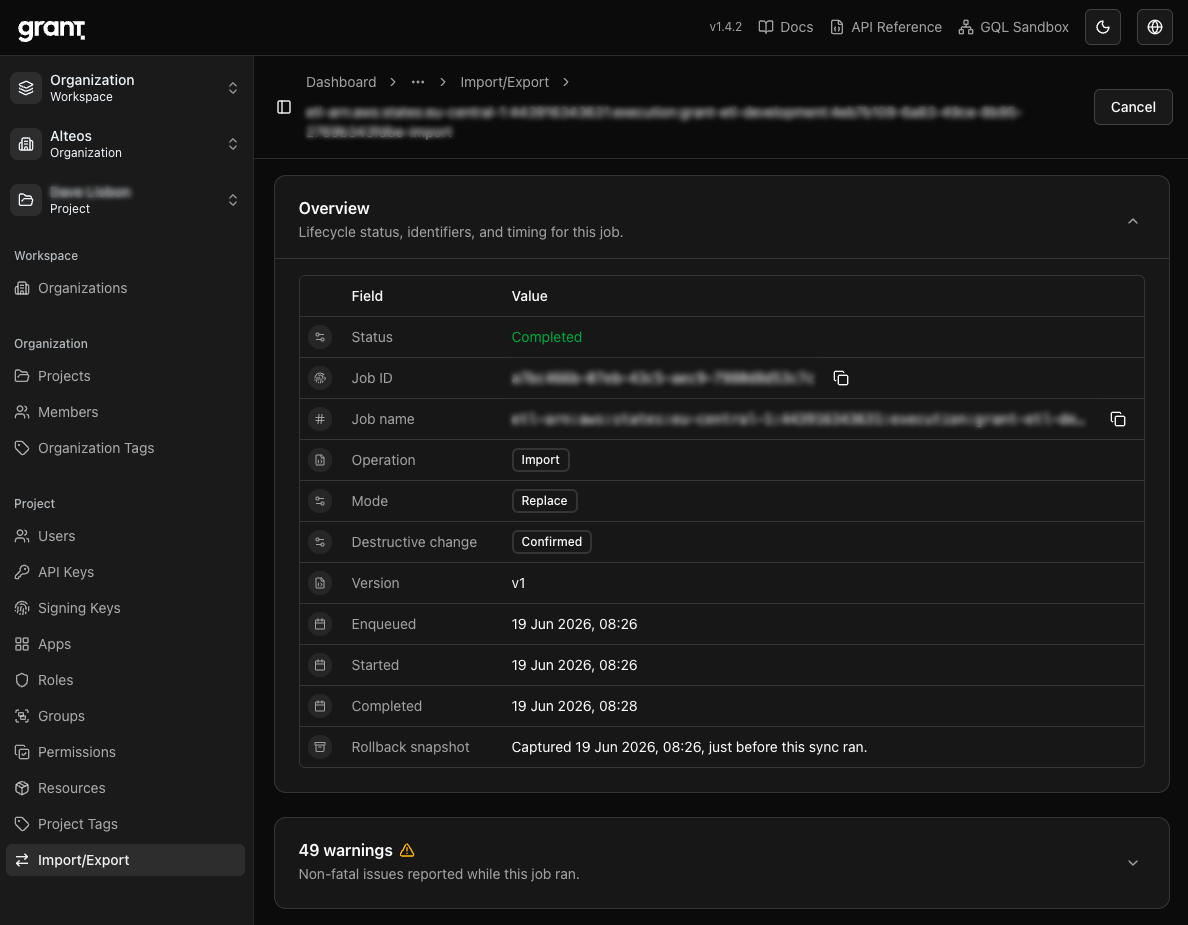
Once a sync job finishes, the project's Import/Export view is where operators confirm what happened. The screenshots below walk through a completed import.
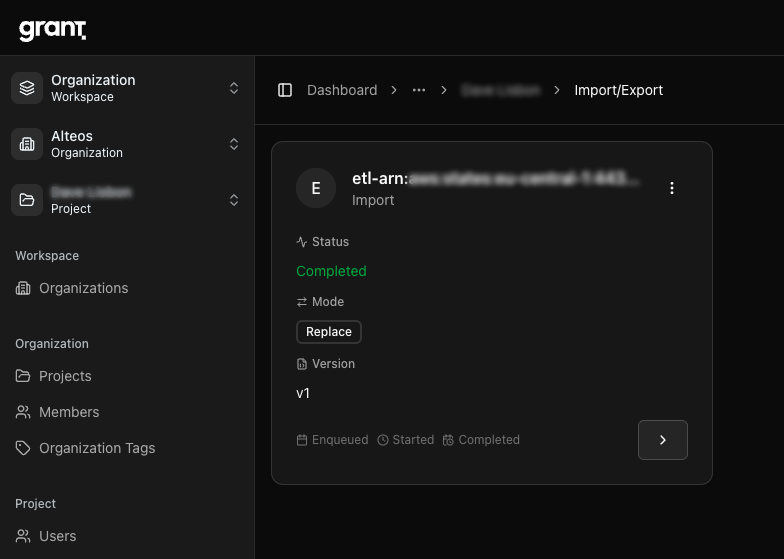
Job summary — A completed import in replace mode, versioned and tracked as a background job.
Job overview — Lifecycle status, operation, mode, and the rollback snapshot captured just before the sync ran.
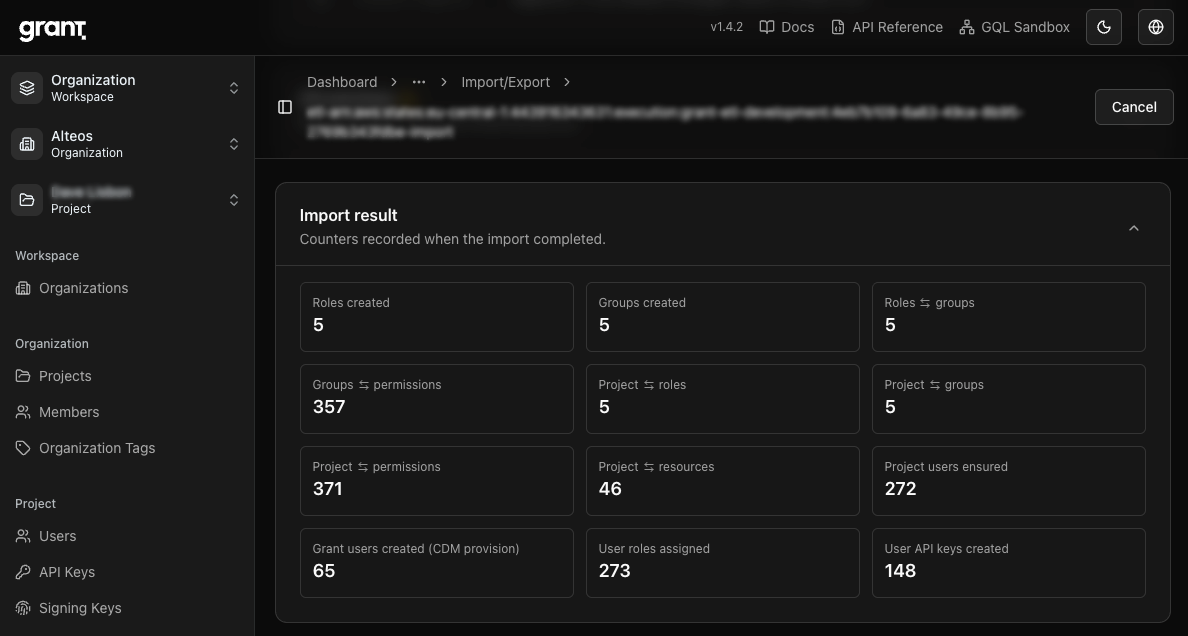
Import result — Counters recorded when the import completed: roles and groups created, role/group/permission links, project users ensured, and user roles assigned.
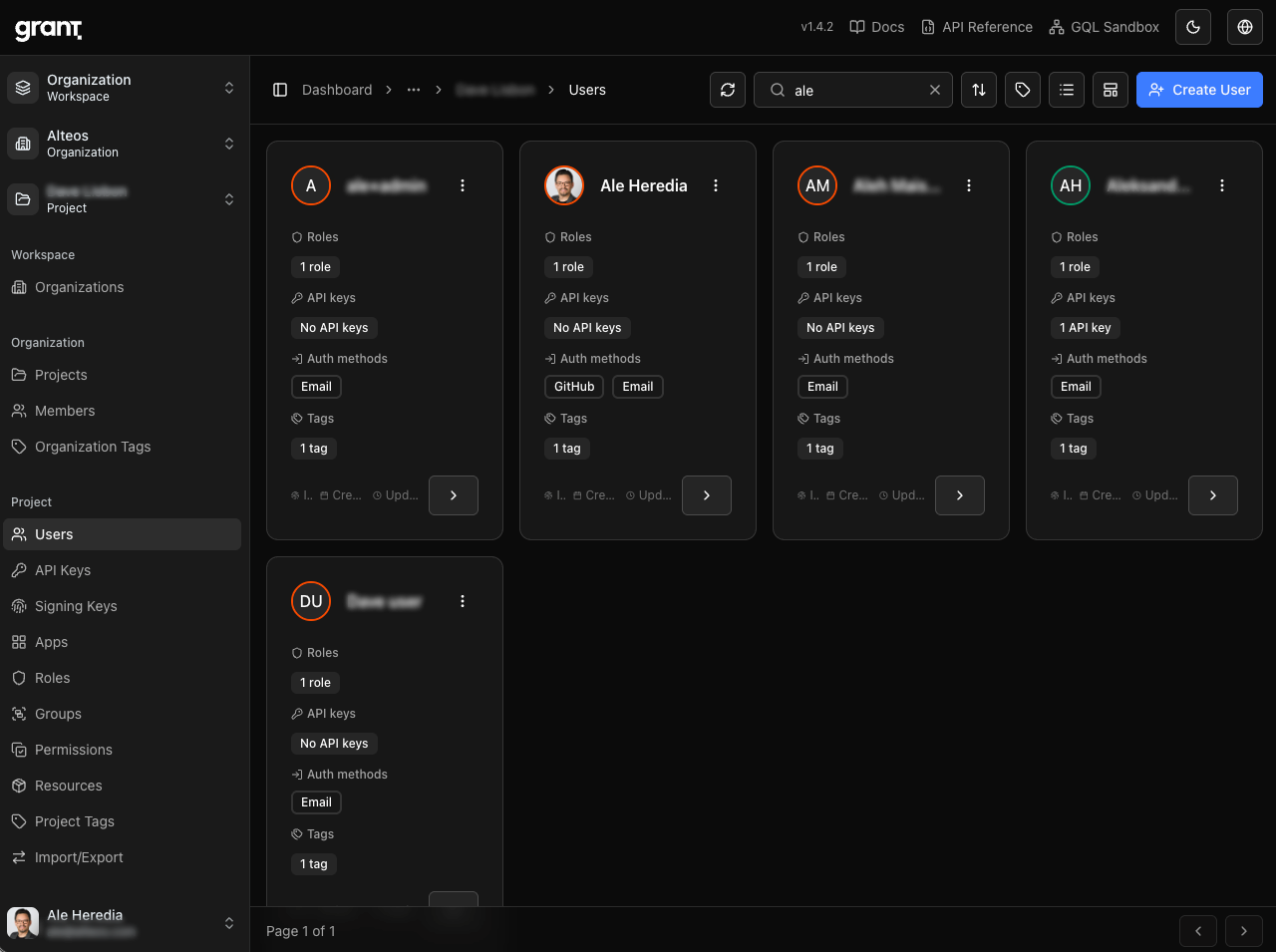
Users, searchable — The imported users land in the project and are now findable by keyword via search_document, not just by name.
Those counters—hundreds of permission links, project users ensured, roles assigned—are a single import job's output. That is the difference between clicking through a UI for a week and running a pipeline that finishes in minutes.
What comes next
The path from here is the arc we sketched in the migration post: from visualize to converge to authenticate centrally. With repeatable migration proven on development data and the CDM contract stable across v1.4, the next steps are scheduling syncs without surprising operators and beginning to converge duplicate roles across sources.
If you are evaluating Grant after the launch post, the exercise that taught us the most is small: export a project to CDM, edit the JSON, and re-import with merge to watch external keys and direct relationships behave. Try it on demo.grantjs.org, read the CDM Import & Export guide, and tell us on GitHub what your IAM data lake should look like.
Comments
Comments are provided via Giscus (GitHub). Enable them in your cookie preferences to load the discussion widget.